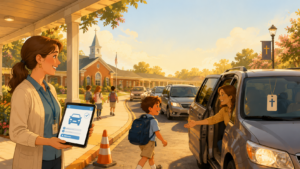

Every school day ends the same way: a wave of cars, walkers, bus riders, and after-care pickups converging on campus within the same 15-to-30-minute window. For decades, schools have managed this moment with walkie-talkies, laminated name signs, and a staff member squinting at a windshield to match a face to a name. It works — until it doesn’t.
School dismissal software replaces that guesswork with a coordinated digital system that verifies who is picking up which student, in real time, from any device. What used to be one of the most chaotic and highest-risk parts of the school day has become one of the easiest to solve with the right technology.
This guide covers everything administrators, front-office staff, and PTA leaders need to know: what a student pickup system actually does, how a carpool app for schools speeds up the car line, the safety case for a student dismissal system, and how to evaluate the best school dismissal software for your building — including how popular platforms compare and what to look for in a PikMyKid alternative.
Table of Contents
- What Is School Dismissal Software?
- Why Traditional Dismissal Breaks Down
- How Does School Dismissal Software Work?
- Core Features to Look For
- The Safety Case for a Dismissal System
- Benefits of Carpool Apps for Schools
- How to Reduce Carpool Line Time
- School Dismissal Best Practices
- Elementary, K-12, and Private School Considerations
- After-School Pickup and Extended Care
- Choosing the Best School Dismissal Software
- PikMyKid, Pickup Patrol, and School Dismissal Manager Alternatives
- How to Roll Out a New Dismissal System
- Frequently Asked Questions
What Is School Dismissal Software?
What is a dismissal system? At its core, it’s a digital platform that manages and verifies how students leave school at the end of the day — whether by car, bus, walking, or after-school program — and gives office staff a live, accurate view of who is going where.
Instead of relying on memory, paper pickup cards, or a rotating cast of substitute teachers trying to identify parents by sight, a school dismissal management platform centralizes:
- Every student’s approved pickup list (parents, guardians, and any authorized adults)
- Daily dismissal method changes (a parent switching a child from bus to car pickup, for example)
- Real-time location and arrival tracking for cars in the pickup line
- Instant alerts to teachers and dismissal staff about who to release and to whom
- A permanent, auditable record of every dismissal for safety and compliance
In short, a dismissal app for schools turns dismissal from a manual, memory-based process into a verified, data-backed one. It’s the same shift schools have already made with attendance and gradebooks — just applied to the moment kids walk out the door.
Why Traditional Dismissal Breaks Down
Ask any principal, front-office administrator, or car-line teacher what the most stressful 20 minutes of their day is, and dismissal is almost always the answer. A few reasons this process breaks down without a proper student pickup system:
Last-minute changes are common and hard to track. A parent calls the office at 2:45 to say grandma is picking up today instead. That message has to travel from the phone, to the front desk, to a sticky note, to the classroom teacher — all before the 3:00 bell. Any break in that chain creates confusion, delay, or a genuine safety gap.
Staff can’t visually verify every pickup. In a school with 400+ students, dismissal staff simply cannot memorize every family’s approved adults, especially with divorced or blended families, nannies, grandparents, and rotating carpool groups.
Car lines back up because there’s no visibility. Without knowing which car belongs to which student until it reaches the curb, staff can’t prepare students in advance — so cars sit and idle while a teacher walks a hallway to find a name.
Paper and radios don’t scale. Walkie-talkie systems and laminated dashboard signs work for small schools, but they fail as enrollment grows, campuses expand, or staff turnover increases.
Multi-child, multi-driver households are the norm. Studies on modern family structures show a majority of households now involve some combination of custody arrangements, working parents, and shared childcare — meaning the “one family, one car” model that inspired most pickup lines is outdated.
The result: long car lines, stressed staff, anxious parents, and — most importantly — a security gap around exactly the moment schools should be most careful.
How Does School Dismissal Software Work?
A modern student dismissal system typically runs through a simple daily cycle:
1. Setup and rostering. The school (or district) imports its student information system (SIS) data — names, grades, classrooms, and approved guardians — into the platform once, then keeps it in sync automatically.
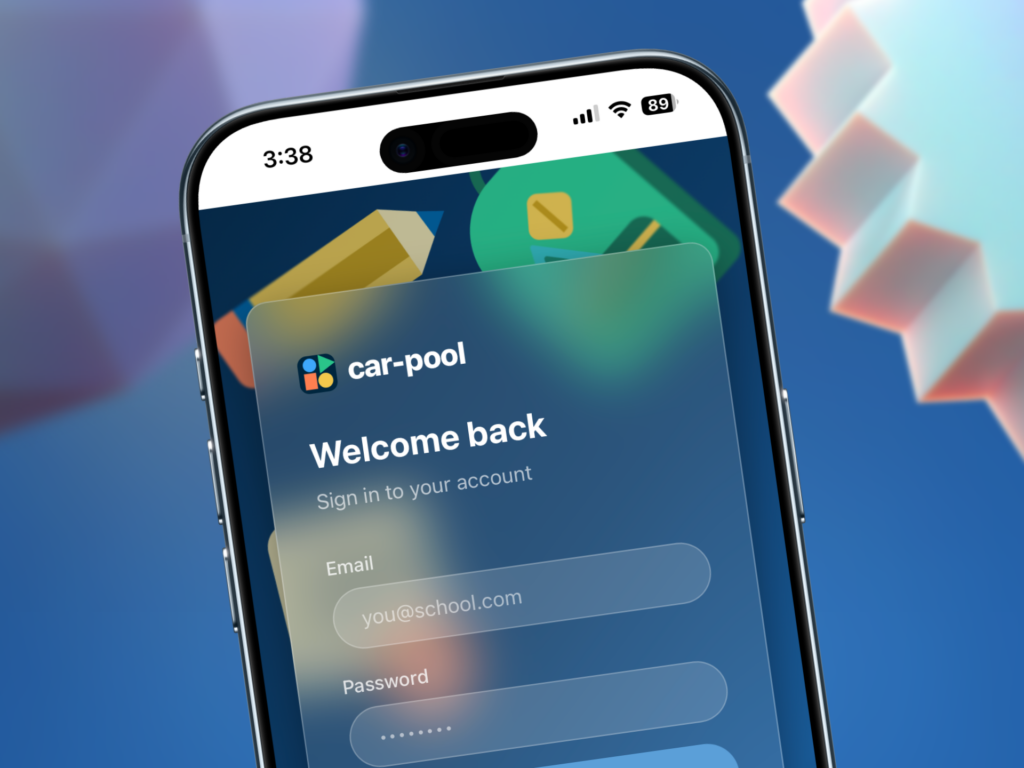
2. Parent app check-in. Parents use a mobile app to indicate how their child is leaving that day: car pickup, bus, walker, after-care, or a change to the usual routine. Many platforms allow parents to designate temporary pickup permissions for a one-time authorized adult.
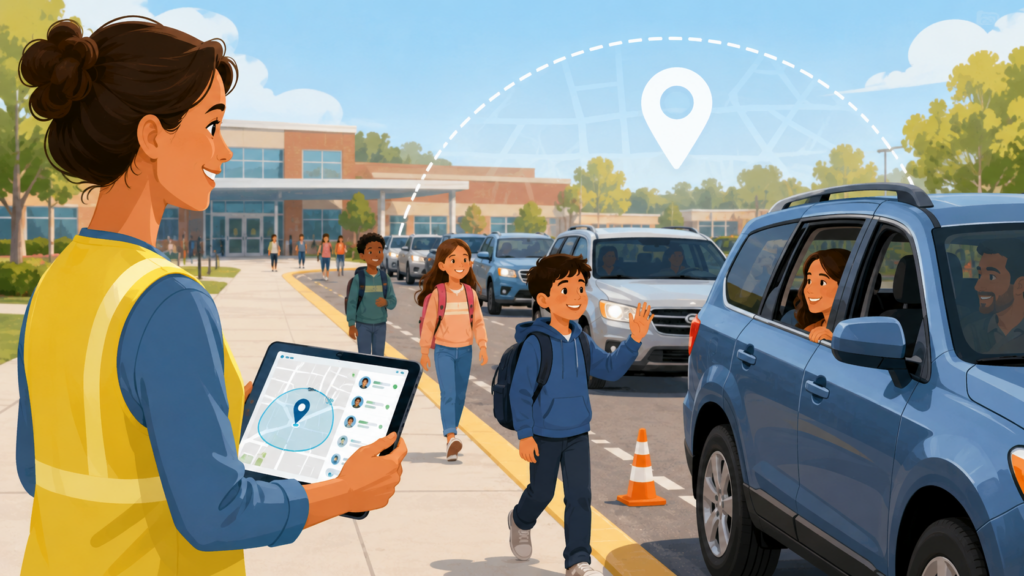
3. Geofenced arrival detection. As a parent’s car approaches campus, GPS geofencing detects the arrival and automatically alerts dismissal staff and the classroom, so a student can be called down or lined up before the car reaches the curb.
4. Staff dashboard and verification. Front-office and curb staff see a live queue of arriving vehicles, matched to student names and photos, so verification takes seconds rather than a hallway search.
5. Digital sign-out and audit trail. Once a student is released, the system logs the time, the verified adult, and the method — creating a timestamped record schools can reference for safety audits, custody documentation, or incident review.
6. Reporting and communication. Admins get dismissal-time analytics (average wait time, bottleneck points, no-show rates) while parents receive automatic notifications confirming their child has been picked up.
This is the mechanical answer to “how does school dismissal software work” — but the real value is what it replaces: phone tag, guesswork, and unverifiable hand-offs.
Core Features to Look For
Not all tools to manage school pickup lines are built the same. When evaluating software for school carpool management, look for these core capabilities:
Real-Time Dismissal Workflows
The system should let staff see, in real time, exactly how every student is leaving — car, bus, walker, or activity — and should update instantly when a parent changes plans, even at the last minute.
Visibility for Every Stakeholder
Teachers need classroom-level dismissal lists. Front-office staff need a building-wide view. Car-line monitors need curbside alerts. Parents need confirmation their child got where they were supposed to go. A strong school dismissal management platform gives each group the view they need without extra manual coordination.
Pickup Coordination and Carpool Management
Look for carpool management for schools features that let multiple families link up, share pickup duties, and grant temporary authorization to another parent — all without a phone call to the office.
Safety and Verification
Photo-matched guardian verification, ID checks for unfamiliar pickups, and instant lockdown or hold capabilities are essential. This is what separates a genuine safe student pickup system for schools from a basic scheduling tool.
Communication and Alerts
Two-way messaging between parents and the school, automated delay notifications, and emergency broadcast capability all matter — especially during weather delays or early releases.
Reporting and Compliance
Administrators should be able to pull dismissal logs by date, student, or pickup adult — useful for safety reviews, licensing requirements, and resolving custody disputes with a clear record.
Integration
The best platforms sync with your SIS, bus routing software, and after-care billing systems so staff aren’t maintaining the same roster in three different places.
The Safety Case for a Dismissal System
Dismissal is a uniquely vulnerable window in the school day: hundreds of children moving from a supervised classroom to a transition zone with dozens of unfamiliar vehicles, all within a compressed timeframe. A handful of school pickup safety tips consistently show up in guidance from school safety consultants and administrators:
- Verify before releasing, every time — even for familiar faces. Staff turnover and rotating carpools mean “I recognize that car” isn’t a reliable safety check on its own.
- Keep a real-time authorized-pickup list, not a static one printed at the start of the year. Custody situations, emergencies, and one-off arrangements change constantly.
- Log every dismissal with a timestamp and verified adult name. This creates accountability and gives administrators a record if a dispute or incident ever needs to be reviewed.
- Reduce the number of people who need “tribal knowledge” to run dismissal safely. Substitute teachers, new hires, and volunteer parent monitors should be able to follow the same verified process as full-time staff.
- Build in an escalation path for unrecognized vehicles or unauthorized pickup attempts, so staff have a clear, practiced protocol rather than an improvised one.
A digital student pickup system doesn’t just make dismissal faster — it closes the gap between “we’re pretty sure that’s the right car” and “we verified that’s the right car.” That distinction matters enormously if something ever goes wrong.
Benefits of Carpool Apps for Schools
The benefits of carpool apps for schools extend well beyond the car line itself:
Faster dismissal, shorter lines. Because staff know which car is arriving before it reaches the curb, students can be prepped and walked out immediately, cutting average dismissal time significantly at most schools that adopt a carpool app for schools.
Less administrative burden. Front-office staff spend far less time fielding phone calls about pickup changes, since parents can update dismissal plans directly in the app.
Fewer errors. Digital verification all but eliminates the risk of releasing a student to the wrong adult due to a mislabeled sign or a rushed hallway handoff.
Better parent experience. Parents get real-time confirmation their child was picked up, reducing the anxiety of an unclear or delayed pickup process.
Data for continuous improvement. Schools can see exactly where bottlenecks occur — a single lane, a particular time window, a specific entrance — and adjust traffic flow accordingly.
Stronger safety posture. A verified, logged process is inherently safer than an informal one, and gives administrators documentation they can point to during safety audits or parent concerns.
How to Reduce Carpool Line Time
Every front-office team eventually asks the same question: how to reduce carpool line time without adding staff or repaving the parking lot. A few proven approaches:
- Pre-stage students before cars arrive. Use geofencing or arrival alerts so students are called to the pickup zone the moment a parent’s car is a few minutes out, rather than after it’s already at the curb.
- Assign numbered zones, not a single line. Splitting dismissal into two or three simultaneous loading zones — coordinated through a shared dashboard — moves far more cars per minute than one long line.
- Stagger dismissal by grade level. Releasing grades in short waves (rather than all at once) reduces the peak number of students needing supervision at any single moment.
- Digitize the “who’s picking up who” question. The single biggest source of car-line delay is staff having to confirm a pickup verbally. Removing that step with automated verification is the highest-leverage fix available.
- Track your data and adjust. Dismissal software that reports average wait times and bottleneck points lets administrators make targeted changes instead of guessing.
- Train volunteer monitors on the same digital system staff use. Consistency across every adult in the pickup zone avoids the slowdowns that come from mixed paper-and-digital processes.
Schools that combine these tactics with a proper pickup system for schools commonly cut dismissal time by half or more within the first few weeks of use.
School Dismissal Best Practices
Whether or not a school has adopted software yet, a set of school dismissal best practices applies broadly to how to manage school dismissal well:
- Standardize the process across every classroom. Dismissal shouldn’t vary by teacher preference — a single school-wide protocol is easier to train, audit, and troubleshoot.
- Build a clear default and a clear exception path. Most days are routine; the protocol should make the rare exception (an unfamiliar pickup, a late change) obvious to flag and easy to escalate.
- Communicate dismissal plans early and often, especially at the start of the year and after schedule changes like early release days or weather delays.
- Involve every stakeholder in the design, not just administrators. Teachers, car-line staff, bus coordinators, and parents all interact with dismissal differently, and each perspective surfaces different friction points.
- Review the data each semester. Average dismissal time, most common delay causes, and safety incident logs should inform ongoing adjustments — not just a one-time policy set at the start of the school year.
- Practice the emergency version, too. Early dismissal for weather or emergencies should follow a rehearsed process, not an improvised one built under pressure.
Answering how to organize student pickup well is less about any single tool and more about combining a clear protocol with technology that removes the manual bottlenecks from that protocol.
Elementary, K-12, and Private School Considerations
Dismissal looks different depending on the type of school, and the right elementary school pickup system isn’t always the right fit for a large K-12 dismissal software rollout.
Elementary schools tend to have the highest dismissal complexity per student — younger children can’t self-manage their pickup, multiple guardians are common, and after-care enrollment is high. An elementary school pickup system should prioritize photo verification, simple parent-facing apps, and tight classroom-to-curb coordination.
K-12 and multi-campus districts need software that scales across buildings with different schedules, bus routes, and staff structures, while still giving district administrators a unified view. K-12 dismissal software should support role-based access (a single elementary teacher shouldn’t need visibility into high school dismissal data) and integrate cleanly with district-wide SIS platforms.
Private schools often manage more complex family structures, extended after-care hours, and higher parent expectations around communication and responsiveness. Private school dismissal software should support flexible, family-specific pickup arrangements and give administrators the reporting rigor that accreditation and parent-relations expectations demand.
Across all three, the throughline is the same: the platform needs to match how the school actually runs dismissal, not force staff into a rigid workflow built for a different kind of campus.
After-School Pickup and Extended Care
Dismissal doesn’t end at 3:00 for every student. A well-designed after school pickup system needs to account for:
- Students transitioning directly into on-campus after-care or enrichment programs
- Late pickups from extended-day programs, often well past the main dismissal window
- Different authorized pickup lists for after-care versus the regular school day
- Billing integration, since many after-care programs charge by the hour or session
A strong school carpool program extends the same verification and logging standards into after-care hours, rather than treating the extended day as a separate, less-monitored process. This is often where safety gaps quietly appear — dismissal software should close that gap, not stop at the 3:00 bell.
Choosing the Best School Dismissal Software
When comparing options for the best school dismissal software, run each candidate through the same checklist:
Does it verify, not just schedule? Some tools only track who’s supposed to pick up a student; the strongest platforms actively verify who does.
Can staff use it under pressure? Dismissal happens in a loud, fast-moving environment. If the interface requires multiple taps or slow lookups, it will get abandoned during a busy afternoon.
Does it handle exceptions gracefully? Last-minute changes, one-time authorized adults, and emergency early releases are the norm, not the exception — the software should make these easy, not require a phone call to IT.
Is the parent experience simple? Adoption fails if parents find the app confusing. Look for a clean, quick daily check-in flow.
Does it integrate with what you already use? SIS, bus routing, and after-care billing integrations save enormous administrative time versus maintaining parallel systems.
What does support and training look like? A tool is only as good as the rollout behind it — ask vendors about onboarding, staff training, and ongoing support during the first semester.
Is pricing transparent and scalable? Costs should be clear whether you’re a single elementary school or a multi-campus district, without hidden per-feature fees.
PikMyKid, Pickup Patrol, and School Dismissal Manager Alternatives
Many schools researching this category start by searching for a PikMyKid alternative, a Pickup Patrol alternative, or a School Dismissal Manager alternative — usually because they’re comparing established platforms against newer options, evaluating pricing, or looking for a better fit for their specific campus size and workflow.
When comparing PikMyKid vs. carpool management through a different platform, or looking at other apps like PikMyKid, focus less on brand names and more on the fundamentals covered throughout this guide:
- Does the platform verify pickups in real time, with photo or ID matching?
- How well does it handle multi-child, multi-guardian, and shared-custody households?
- What does the car-line experience actually look like from the front seat and from the curb?
- How responsive is the vendor’s support team during rollout and the first few weeks of school?
- Does pricing make sense for your enrollment size, whether that’s a 200-student elementary school or a multi-building district?
Every established dismissal platform — PikMyKid, Pickup Patrol, and School Dismissal Manager included — was built to solve the same underlying problem this guide describes. The right choice for your school comes down to which one best fits your campus layout, staff workflow, and family demographics, not which name is most familiar. Requesting a live demo and running it during an actual dismissal window is the most reliable way to compare apps like PikMyKid side by side.
How to Roll Out a New Dismissal System
Even the best carpool app for schools will struggle if the rollout is rushed. A practical implementation sequence:
- Pilot with one grade level or one entrance before going school-wide, so staff can troubleshoot workflow issues on a smaller scale.
- Import and clean your roster data early. Inaccurate guardian information is the most common source of early friction.
- Train staff on the exception process first. Most staff will pick up the routine flow quickly; the harder training is what to do when something doesn’t match.
- Send parents a short, clear onboarding message — ideally with a video walkthrough — before the first day of use.
- Run a live trial during a low-stakes dismissal, such as a half-day or early release, before relying on it during a full, high-volume afternoon.
- Collect feedback from teachers, car-line staff, and parents after the first two weeks, and adjust zone assignments or staff roles based on real data.
- Review dismissal-time reports monthly for the first semester to catch bottlenecks early.
Schools that treat rollout as a structured change-management process — rather than flipping a switch — see faster adoption and fewer first-month headaches.
Frequently Asked Questions
What is a dismissal system? A dismissal system is software that manages and verifies how students leave school each day — by car, bus, walking, or after-care — replacing manual sign-out sheets and verbal confirmation with real-time, logged verification.
How does school dismissal software work? It syncs with the school’s student roster, lets parents indicate daily pickup plans through an app, detects car arrivals via geofencing, and gives staff a live dashboard to verify and release students, with every dismissal logged automatically.
What are the benefits of carpool apps for schools? Faster car lines, less administrative phone-tag, fewer manual errors, stronger safety verification, and real-time data schools can use to keep improving the process.
How can schools reduce carpool line time? Pre-staging students before cars arrive, using multiple loading zones, staggering dismissal by grade, and removing manual verbal verification are the highest-impact changes.
Is dismissal software worth it for a small elementary school? Yes — smaller schools often see the fastest per-student time savings, since a large share of delay in small schools comes from staff manually matching cars to names, which software automates immediately.
How is school dismissal software different from a PikMyKid alternative like Pickup Patrol or School Dismissal Manager? Most platforms in this category solve the same core problem — verified, real-time dismissal — but differ in interface, pricing, integrations, and how well they handle exceptions like shared custody or one-time authorized pickups. The best fit depends on your school’s size, workflow, and family demographics.
Does dismissal software work for after-school and extended-care pickup? Yes. A well-built after school pickup system extends the same verification and logging into after-care hours, rather than treating late pickups as an unmonitored afterthought.
Final Thoughts
Dismissal is one of the few moments in the school day where safety, logistics, and parent experience all collide at once. The schools that handle it best aren’t the ones with the most staff in the parking lot — they’re the ones that have replaced guesswork with a verified, real-time school dismissal management system.
Whether you’re evaluating your first student pickup system, comparing a PikMyKid alternative, or simply trying to shave ten minutes off your car line, the fundamentals are the same: verify every pickup, give every stakeholder visibility, and use the data to keep improving. Get those three things right, and dismissal stops being the most stressful part of the day — and becomes one of the smoothest.